
Download easyGestures – Firefox navigation pie‑menu, customizable shortcuts, free tool
Overview
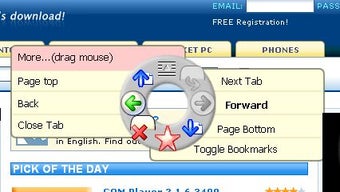
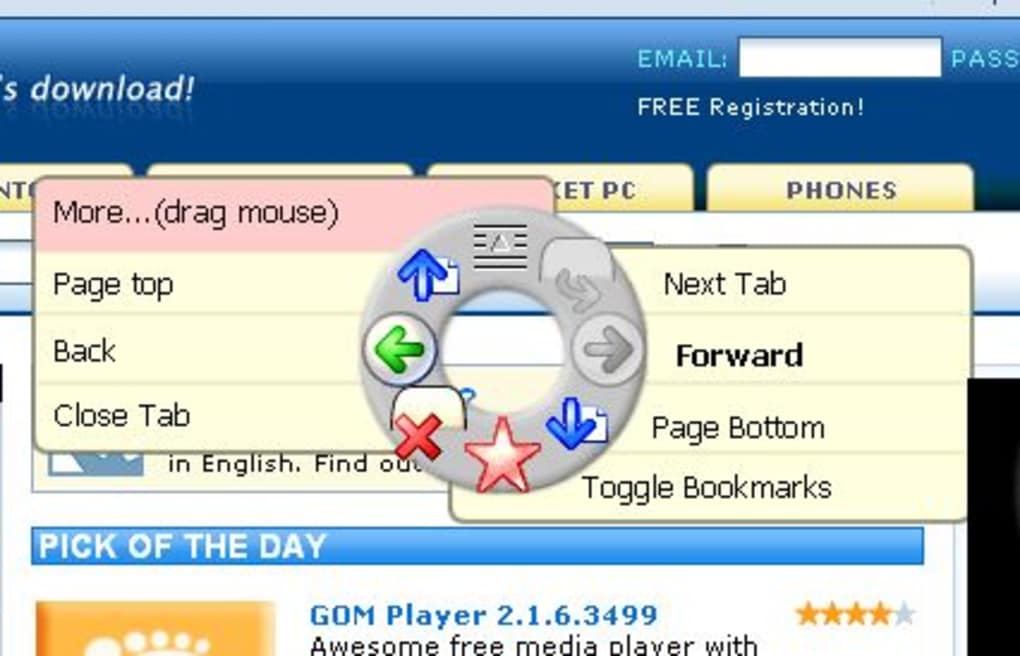
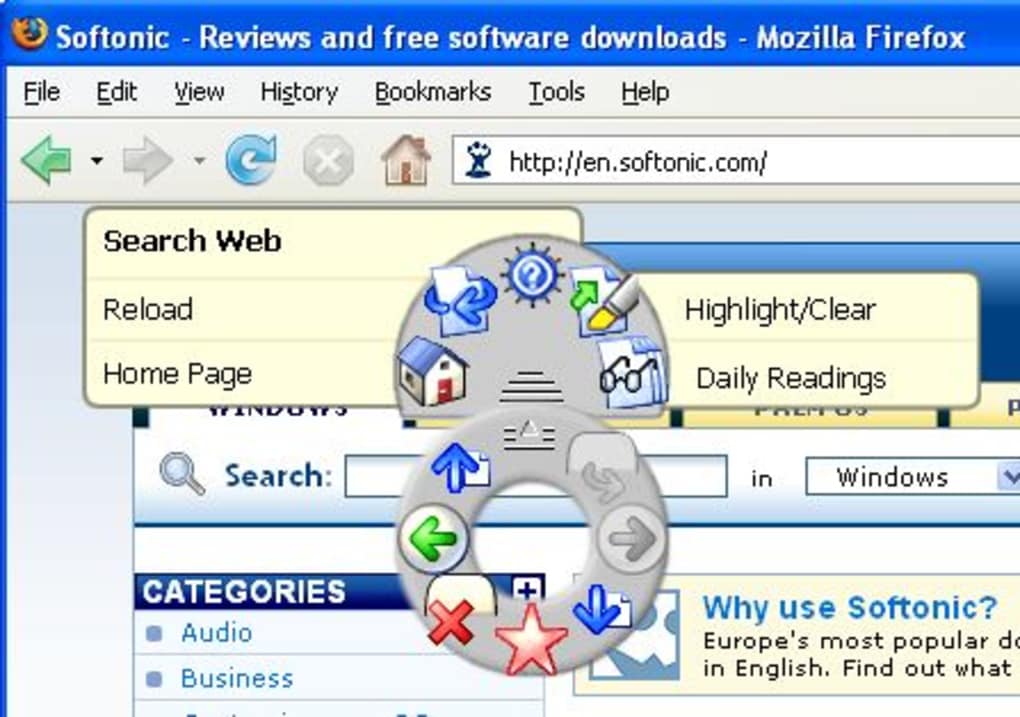
easyGestures is a lightweight Firefox add‑on that reimagines how you reach the browser’s most‑used commands. By pressing a single hotkey—by default the middle mouse button—a circular (pie) menu appears at the cursor location, offering instant access to actions such as Back, Forward, Reload, Bookmarks, Home, and a host of newer commands like “Send Link”, “Toggle Private Browsing”, or “Undo Close Tab”. The menu can be summoned from anywhere on the screen, meaning you never have to hunt for toolbar icons or remember a string of keyboard shortcuts. For power users who love mouse‑driven workflows, easyGestures delivers a fluid, visual alternative that speeds up daily browsing tasks.
While the concept feels fresh, the add‑on does require a short learning curve. The pie slices are icon‑only, so new users may need to hover over the centre of the menu to see tooltip hints. Once you internalize the layout, however, the tool becomes a fast, ergonomic way to navigate, especially on high‑resolution displays where reaching the top toolbar can be cumbersome. The developer has added several quality‑of‑life updates: support for Turkish and Czech locales, dynamic pop‑up sub‑menus for “Search Web”, “Undo Close Tab”, and “Daily Readings”, as well as a welcome page that appears on first install. Overall, easyGestures is a free, secure, and regularly updated solution for anyone who wants to keep their hands on the mouse while browsing Firefox.
Features & Installation Guide
Key Features (itemprop="featureList")
- Pie‑menu triggered by middle‑click or custom hotkey.
- Full‑screen accessibility – menu appears under any cursor position.
- Standard navigation shortcuts: Back, Forward, Reload, Home.
- Bookmark quick‑access and “Daily Readings” pop‑up selector.
- Send Link, View Page Info, and Toggle Private Browsing actions.
- Search Web with on‑the‑fly engine selection.
- Undo Close Tab with tab‑chooser pop‑up.
- Next/Previous Tab with optional tab‑list pop‑up.
- Find Bar integration for Highlight/Clear functions.
- Multi‑language support (English, Turkish, Czech).
- Fully customizable menu – add, remove, or reorder items via the add‑on’s options page.
- Lightweight footprint – under 2 MB download size.
Step‑by‑Step Installation
1. Open Firefox and navigate to the official easyGestures page on Mozilla Add‑ons.
2.
Click the Add to Firefox button. A confirmation dialog appears; select Add.
3.
Firefox will automatically download and install the extension. Once installed, you’ll see an easyGestures icon in the toolbar (you can hide it if you prefer a clean look).
4.
On first launch, a welcome page guides you through basic configuration: you can keep the default middle‑click trigger or assign a different key combination via the Options → Hotkey settings.
5. Test the menu by pressing the chosen hotkey anywhere on the screen.
The pie menu should pop up around the cursor, displaying the default icons. Hover over the centre to reveal tooltip hints.
6.
To customize the menu, go to Tools → Add‑ons → Extensions → easyGestures → Preferences. Here you can enable/disable items, reorder slices, and even add custom commands using JavaScript snippets.
Updating & Uninstalling
easyGestures checks for updates automatically via Mozilla’s add‑on repository, ensuring you always have the latest security patches and feature additions. When an update is available, Firefox will download it in the background and apply it on the next restart. If you decide the add‑on isn’t for you, simply return to the Extensions page, click Remove, and confirm. The developer has fixed a previous issue where preferences were left behind after uninstall; all settings are now cleanly deleted.
Compatibility & Pros & Cons
Supported Platforms (itemprop="operatingSystem")
easyGestures runs inside Firefox, so it inherits Firefox’s cross‑platform compatibility. Whether you are on Windows 10/11, macOS 12‑13, Linux distributions (Ubuntu, Fedora, etc.), or even the Firefox for Android version (limited UI due to mobile constraints), the add‑on will work as long as you are using Firefox version 78 or newer. Because the extension is written in XUL/XML and JavaScript, it does not require any additional runtimes or admin privileges, making it a secure choice for corporate environments where software installation is tightly controlled.
Pros
- Fast, mouse‑centric access to essential Firefox commands.
- Highly customizable – you can tailor the pie menu to your workflow.
- Free and open‑source, with regular updates from the developer.
- Works on all major desktop operating systems supported by Firefox.
- Reduces reliance on memory‑intensive keyboard shortcuts.
- Light on system resources; negligible impact on CPU or RAM.
Cons
- Initial learning curve – icons lack text labels until you hover.
- May feel unfamiliar to users accustomed to traditional toolbar menus.
- Limited functionality on Firefox for Android due to screen‑size constraints.
- Custom hotkey configuration can be confusing for non‑technical users.
In summary, easyGestures shines for users who prefer a visual, mouse‑driven navigation method. Its flexibility and low overhead make it an attractive addition to any Firefox setup. The primary drawback is the adaptation period required to memorize the icon layout, but the built‑in tooltip system and the ability to rename slices help mitigate this issue.
FAQ & Conclusion
Can I change the hotkey that opens the pie menu?
Yes. Open the easyGestures preferences, go to the “Hotkey” tab, and press the new key combination you want to use. The change takes effect immediately.
Is easyGestures safe to use with private browsing?
Absolutely. The add‑on respects Firefox’s privacy settings. When you enable “Toggle Private Browsing” from the pie menu, it opens a new private window without storing any history or cookies.
Does the extension work on Firefox for Android?
The core functionality is available, but the circular menu is less practical on small touch screens. You can still trigger the menu with a long‑press gesture, but many users prefer the desktop version for full features.
Can I add custom commands to the pie menu?
Yes. The preferences panel includes a “Custom Commands” section where you can paste JavaScript snippets or call external URLs. These appear as new slices that you can drag into any position.
How does easyGestures affect browser performance?
Performance impact is minimal. The add‑on loads only when the hotkey is pressed, and the pie menu is rendered using lightweight HTML/CSS. Benchmarks show less than 1 % CPU usage during idle periods.
Final Verdict
If you spend a lot of time in Firefox and prefer mouse‑driven shortcuts, easyGestures is a compelling free tool that streamlines navigation without sacrificing security or speed. Its customizability means you can shape the menu to fit any workflow, from simple back‑forward browsing to advanced tab‑management tasks. While the icon‑only design may feel alien at first, the built‑in tooltip hints and the ability to rename slices quickly smooth the learning curve. For power users, developers, or anyone looking to reduce keyboard reliance, downloading easyGestures is a smart move.
Ready to boost your browsing efficiency? USD 0.00 – Download easyGestures now and experience a smoother, more intuitive Firefox workflow.







